Turn your product photo into a short promo video.
Make a 5-second Social Promo Clip from an existing product photo, or add a real back photo for a 360°-style Turntable Spin. Type a sales line to make a spoken Voiceover. Use the same Launch Pack for photos, clips and voiceovers without starting a video subscription.
The proof
Built from real product photos
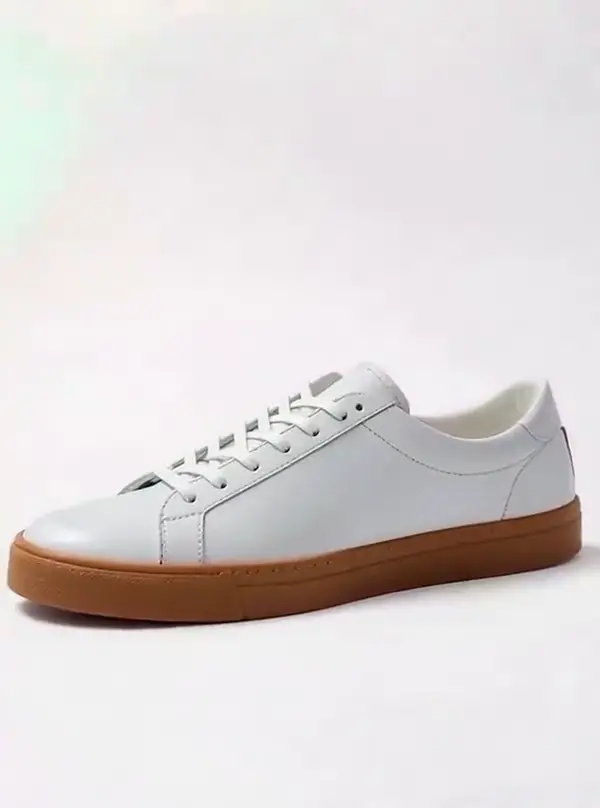
01 · Studio output
A frame from a Viszy Social Promo Clip made from one sneaker photo.
The workflow
How it fits your store workflow
01 · Step 1
Make a 5-second Social Promo Clip
Upload a photo or animate a finished product shot. The Social Promo Clip uses movement and lighting around the product without trying to show a side you didn’t photograph.
02 · Step 2
Show the back with a Turntable Spin
Upload a front and back photo taken at a similar angle and distance. The spin uses those photos as its reference views. Check that logo, stitching and packaging match the real item before posting.
03 · Step 3
Add a spoken product message
Type the line you want buyers to hear in Product Voiceover, then download it to pair with your clip. Photos, clips and voiceovers all draw from the same paid balance.
Side by side
How Viszy compares
| Capability | Film it yourself | Animate a still in an editor | Viszy |
|---|---|---|---|
| Short promo | Set up a camera and light, shoot and trim | Apply and time a pan or zoom | Make a 5-second Social Promo Clip from one product photo |
| Front and back views | Turn the item and record both sides | Cut or dissolve between two stills | Make a Turntable Spin using real front and back photos |
| Voiceover | Record and trim a narration track | Import or record narration in the editor | Type a line to make a separate Voiceover ready to pair with the clip |
| Pay for one launch | Use your own equipment or hire for the shoot | Check your editing tool’s pricing | Buy the Launch Pack once for up to 2 short clips if used for video alone |
One-off · no subscription
Launching 1–3 products? Buy credits once.
Watermark-free with a commercial licence. Pack credits stay on your account until you use them.
- Launch Pack$9 USD50 credits · ~12 listing packs
- 100 credits$12 USD100 credits · ~25 listing packs
- 300 credits$29 USD300 credits · ~75 listing packs
Seller questions
Frequently asked questions
- Can I turn one product photo into a video?
- Yes. The Social Promo Clip uses one clear photo to make a 5-second video. Use front and back photos if you want the Turntable Spin to show both sides of your product.
- How much of my Launch Pack does a product video use?
- A 5-second clip or Turntable Spin uses 20 credits, and a Voiceover uses 1. The one-off Launch Pack has 50 credits, enough for up to 2 clips if you use it only for video. There’s no separate subscription for video.
- Does a product voiceover come attached to my clip?
- It’s a separate audio download. Create the clip and the voiceover with the same Launch Pack, then pair them in your editor or wherever you publish the promo.
- Can I use the finished video in an ad?
- Paid outputs include a commercial licence and have no Viszy watermark. Make sure you have the rights to the source images and any other material you add to your ad.
Your next listing
Starts with the photo already on your phone.
Make one free lifestyle image with your own product. No account or card needed.