Skip to content
StudioTemplatesPricing
English
  • English
  • 繁體中文
  • 日本語
  • 한국어
  • Deutsch
  • Español
  • Français
Sign in

Studio

What to make

1Product photo

Drop a photo anywhere or paste (Ctrl+V / Cmd+V). A phone photo on a table is enough.

Or see an example first

2Template

Optional. A template fills this in; edit it to change the scene.

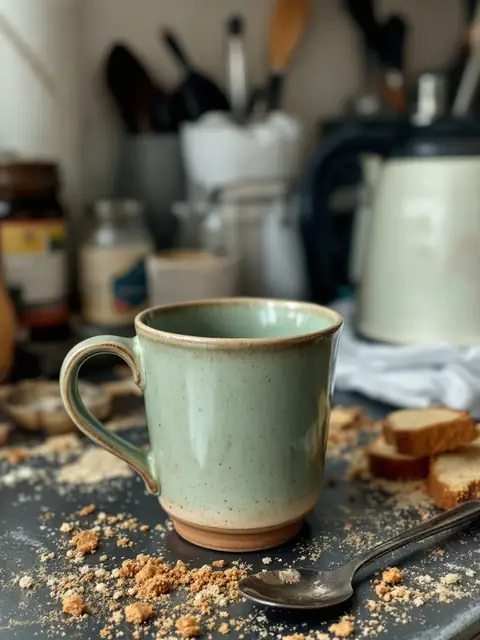
Example input: a phone photo of the mugBefore · Phone photoExample result: Lifestyle sceneAfter · Lifestyle scene

Add a product photo to start

Drop a photo here, paste (Ctrl+V / Cmd+V), or .

Viszy

One phone photo in. A whole listing out.

Listing packs — main image, scenes, infographic, sizes and copy — for Amazon, TikTok Shop, Shopify, Etsy and eBay sellers.

English
  • English
  • 繁體中文
  • 日本語
  • 한국어
  • Deutsch
  • Español
  • Français

Product

  • Studio
  • Templates
  • Pricing
  • AI Product Photography
  • Social Promo Creative
  • White Background Photos
  • Product Video Generator
  • Sign in

Sell on

  • Amazon
  • Etsy
  • TikTok Shop
  • Shopify
  • eBay
  • WooCommerce

Resources

  • Help centre
  • Contact support
  • Service status

Compare

  • All comparisons
  • Viszy vs Photoroom
  • Viszy vs Canva
  • Viszy vs Pebblely
  • Viszy vs Flair AI
  • Viszy vs Pixelcut
  • Viszy vs Claid.ai
  • Viszy vs Mokker AI
  • Viszy vs soona
  • Viszy vs Shopify Magic
  • Viszy vs Botika
  • Viszy vs Clipdrop

Legal

  • Privacy Policy
  • Terms of Service
  • Cookie Policy
  • Acceptable Use Policy
  • Cancellation Policy

© 2026 Sylphx Limited. Registered in England and Wales, company number 16438428. Registered office: 128 City Road, London EC1V 2NX. Phone +44 7537 188 188. Contact hi@viszy.ai.

Prices include VAT. VAT number GB 502 7862 95.

Cookies

Essential cookies keep Viszy working. Optional cookies measure usage and ads. Read the policy

Your current choice:

  • Home
  • Studio
  • Templates
  • Pricing
  • Sign in