Shopify product photos in one consistent size.
Shopify recommends 2048 x 2048 pixels for square product images so storefront zoom stays crisp and every collection grid lines up edge to edge. Upload one phone photo per SKU to build matching white-background, studio plinth, lifestyle and callout plates—plus SEO titles, meta descriptions and 4:5 / 9:16 campaign exports.
2048 x 2048 pixels · 1:1 · 4:5 · 9:16 · listing copy included
Try a sample photo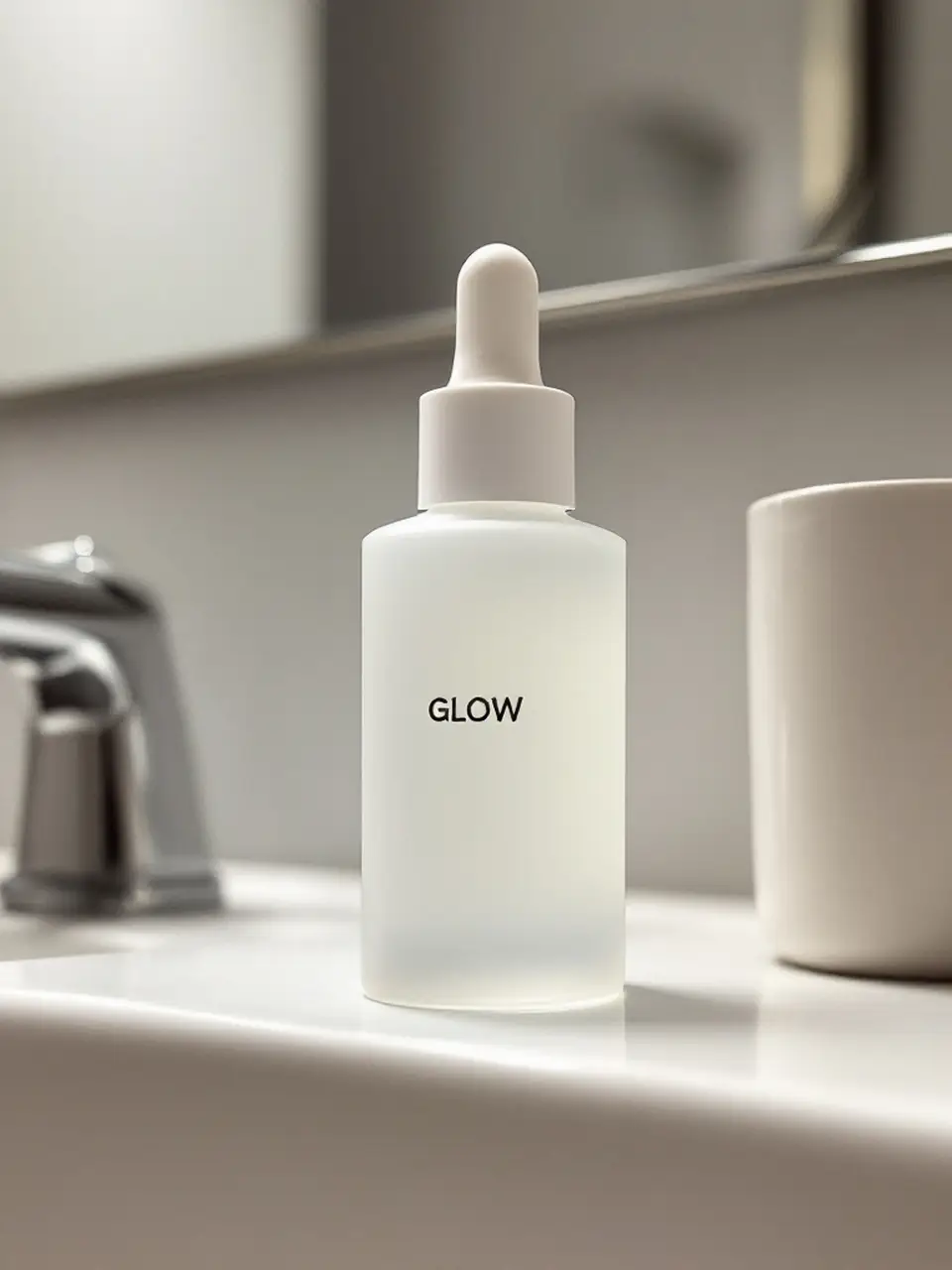
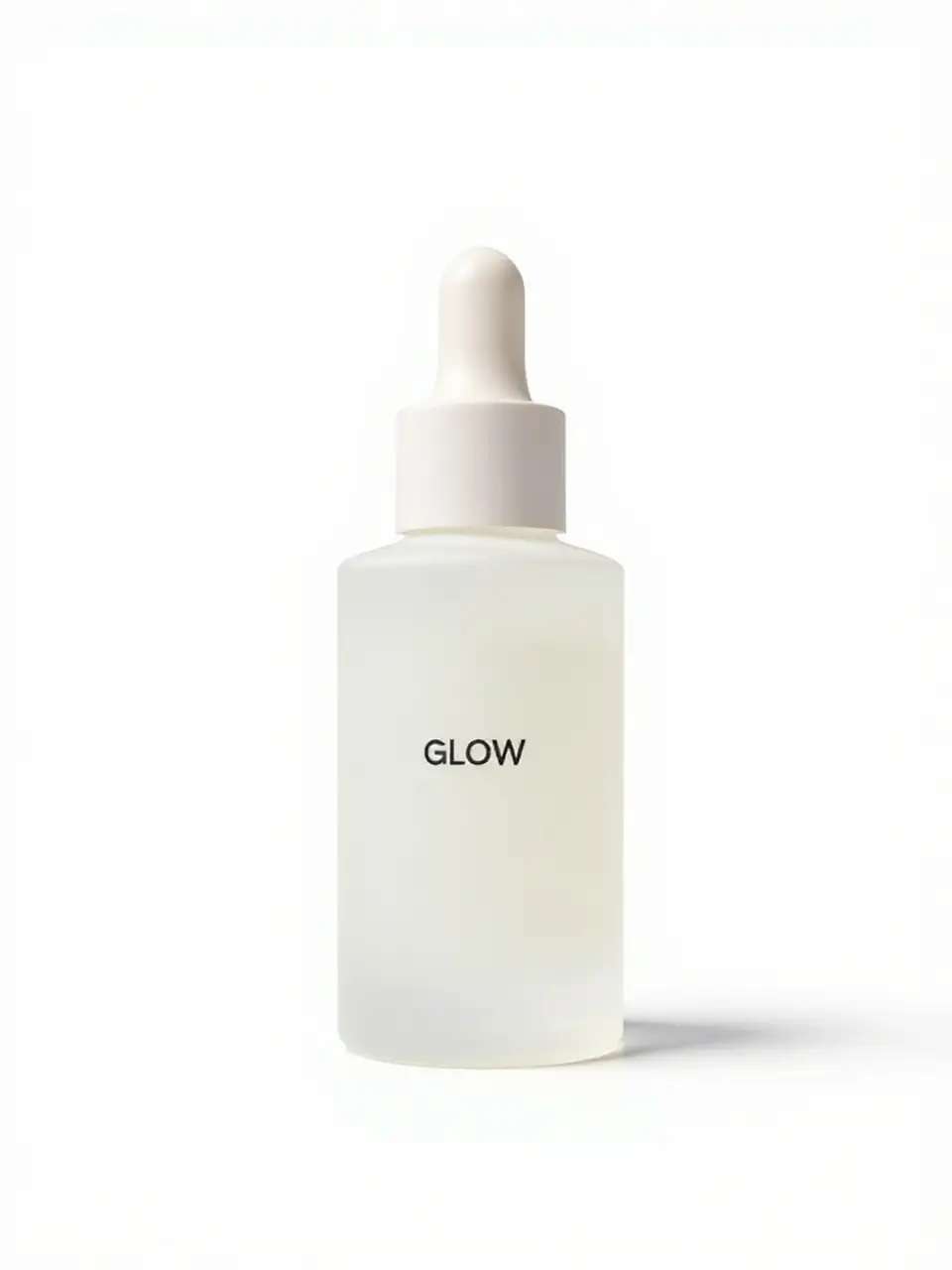
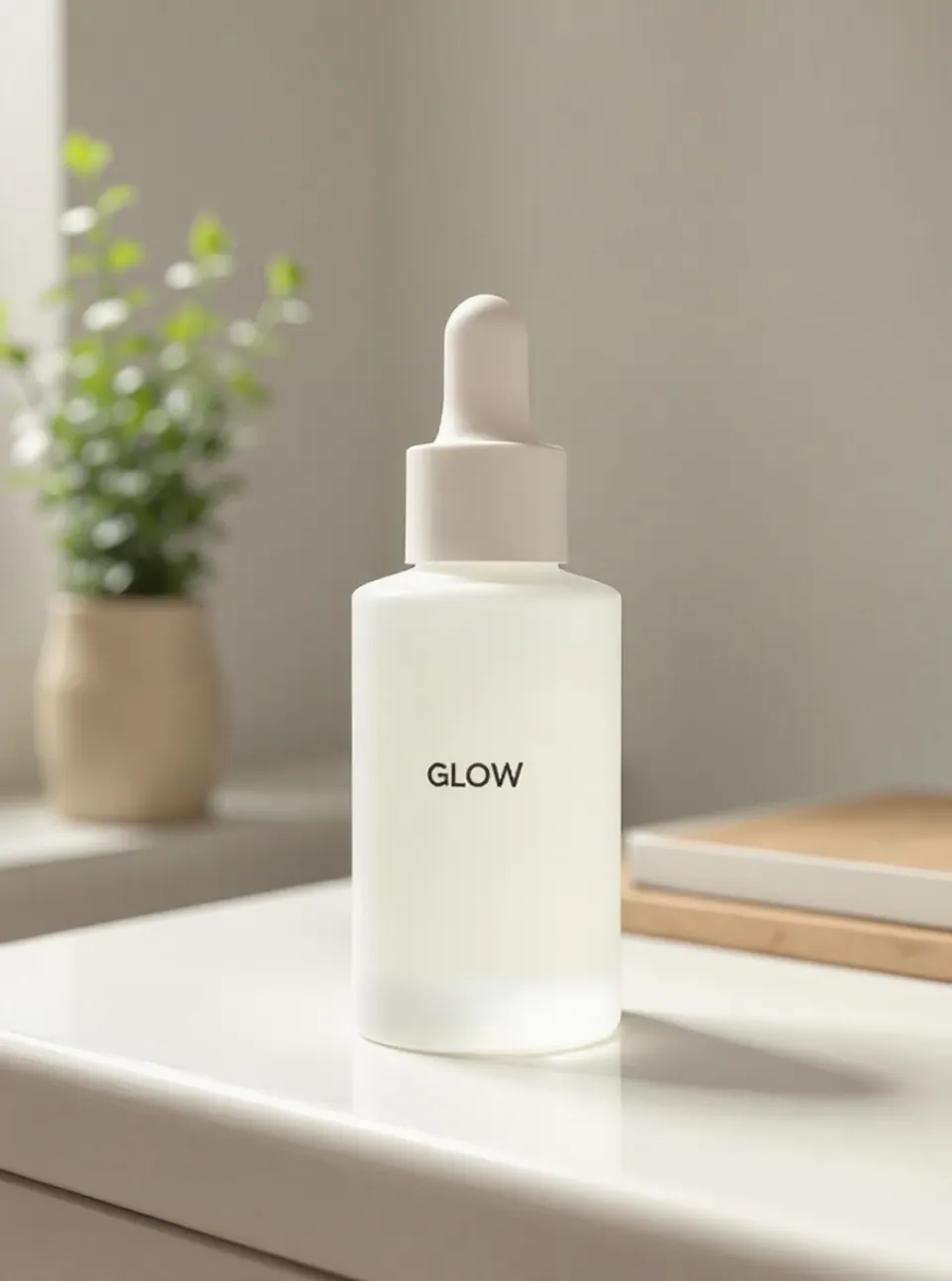
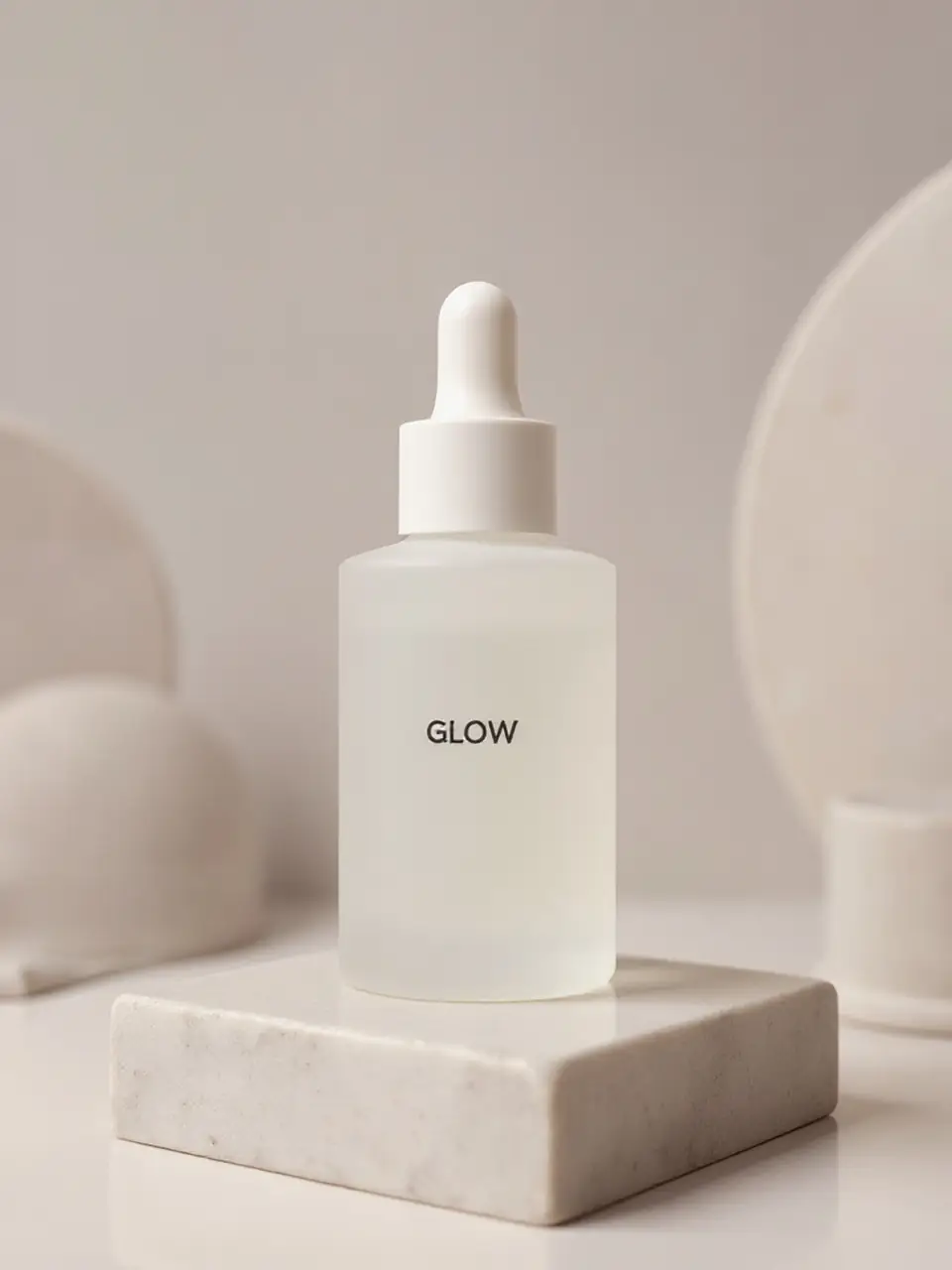
Before: Sample phone photo made for this page. After: unedited Viszy results from the same upload.
Shopify specifications
Exact Shopify image, video & copy rules
Unlike third-party marketplaces, Shopify gives you complete creative control over your storefront—which also means inconsistent photo sizes, mixed lighting and mismatched backgrounds show up immediately on collection pages. Here are Shopify's published media specs alongside what Viszy exports for your theme.
| Specification | Shopify requirement | Viszy export |
|---|---|---|
| Recommended square size | Shopify recommends 2048 x 2048 px (1:1) for square product photography to power crisp hover/pinch zoom on Online Store 2.0 themes. | 2048 x 2048 pixels JPEG, fitted whole without cropping any bottle cap, handle or packaging edge. |
| Upload ceiling & format | Up to 4472 x 4472 px (20 MP) and 20 MB per image; JPEG, PNG and WebP supported (Shopify CDN serves WebP automatically). | Clean sRGB JPEG exported at 2048 x 2048 so Shopify's CDN compresses sharply without slow heavyweight uploads. |
| Collection grid consistency | Mixing portrait, landscape and tight-cropped uploads makes collection rows jagged and misaligns titles and prices. | Every SKU exports at identical 2048 x 2048 geometry with a shared brand kit (colour, badge style and lighting mood). |
| Background & art direction | No forced white-only rule: brands choose pure white, tonal studio plinths or cohesive daylight lifestyle scenes. | White background, Studio shot (stone plinth), Lifestyle scene, Flat lay and Seasonal promo templates. Check printed packaging against your original photo. |
| Product page media & video | Up to 250 media items per product, including native MP4 video and high-res variant imagery. | 4-image listing pack (4 credits), extra single plates (1 credit) and 5-second reveal or turntable clips (20 credits). |
| Social & email campaign crops | Store launches also need 4:5 Instagram/Meta feed cards and 9:16 Stories/Reels creatives alongside 1:1 PDP photos. | 1:1 · 4:5 · 9:16 aspect exports plus seasonal scenes with clear empty top space for your own offer typography. |
| Shopify SEO title & meta | Page title (search engines) up to 70 characters and Meta description up to 160 characters, plus scannable PDP bullets. | Listing copy builder formats your Shopify SEO page title (<=70), meta description (<=160) and key bullets directly from your product facts. |
The Shopify download is 2048 x 2048 pixels, with your product fitted whole on white and never cropped. Every plan, free included, has the size pack.
Phone photo to published listing
From one phone photo to a complete Shopify listing pack
Growing a direct-to-consumer store means launching new colourways, bundles and seasonal promos without booking a studio every month. Viszy gives solo founders and small Shopify teams one repeatable pipeline from phone snapshot to collection-ready product page.
01
Configure your store's brand kit once
Pick your brand accent colour, callout badge shape and preferred lighting direction in Viszy Studio. Keeping one brand kit across your skincare line, apparel drops or homeware SKUs ensures photos shot weeks apart on a kitchen counter look like they came from a single commercial studio session.
Output · Consistent collection rows and on-brand callouts across every SKU.
02
Upload one phone photo—or batch up to 50 SKUs at once
Shoot a clear phone photo of your product (or drop in a clean supplier shot) and generate a 4-image listing pack: a pure-white catalogue image, a sunlit Lifestyle scene, a marble or stone-plinth Studio shot and a callout infographic. Paid plans unlock multi-product batches (10 on Plus, 25 on Pro, 50 on Studio) so whole collections finish in one run.
Output · Matching hero, gallery and brand shots across your entire catalogue.
03
Build legible ingredient, size or routine callouts
Shopify shoppers look closely at ingredients, dimensions, fabric weight and usage steps before adding to cart. Viszy composes callout graphics in real browser typography using your exact wording—zero misspelled actives, ounces or brand names—paired cleanly with your Studio product plate.
Output · High-trust PDP visual callouts without opening a layout tool.
04
Export 2048 x 2048 images, SEO metadata and campaign crops
Download the 2048 x 2048 Shopify JPEG for your product page and collection grid, grab 4:5 and 9:16 exports for launch emails and social ads, and paste the Shopify-length SEO title (<=70 chars), meta description (<=160 chars) and feature bullets right into Shopify Admin.
Output · Aligned collection grids, crisp PDP zoom and clean search snippets.
GLOW hydrating face serum – 30 ml glass dropper bottle
- 30 ml glass dropper bottle
- Fragrance-free daily formula
- Morning and night hydration
Meta description: GLOW hydrating face serum: 30 ml glass dropper bottle. Fragrance-free daily formula. Morning and night hydration.
Gallery architecture
Recommended Shopify gallery slot plan
Most high-clarity Shopify product pages rely on five to six focused media slots rather than twenty cluttered photos. Structuring each SKU the same way makes browsing across your catalogue effortless on mobile and desktop.
Media 01
Collection & hero lead shot
Studio shot or White background · 2048 × 2048
Use the same template style and 2048 x 2048 canvas for Media 01 across every SKU in a collection so your grid rows align cleanly.
Media 02
Secondary hover / lifestyle view
Lifestyle scene
Many Shopify themes reveal Media 02 on desktop card hover—pairing a clean white or plinth lead shot with a sunlit room scene creates a crisp contrast.
Media 03
Benefits, specs or ingredients callout
Callout infographic · real type
Highlight key volume, formula or material specs in clean typography so mobile visitors read the essentials without scrolling down to accordion tabs.
Media 04
Alternate editorial studio angle
Studio product shot / Flat lay
Show sets, kits or packaging cleanly from above or on a textured neutral plinth for brand storytelling and homepage feature sections.
Media 05
5-second product reveal or spin
Product reveal / Turntable spin
Native MP4 video inside Shopify's product media gallery shows bottle finish, glass reflections or hardware movement directly beside stills.
Campaigns
Seasonal homepage & ad assets
Black Friday / Christmas / Summer deal + 4:5 · 9:16
Leave clean empty headline space at the top of seasonal scenes so your Shopify theme hero text overlays legibly with zero generated gibberish.
Pre-publish verification
What to aim for on Shopify — and mistakes to avoid
Before pushing a new Shopify collection live, verify these six items so your storefront stays sharp, fast and consistent across every screen size.
Before you publish
Shopify listing checklist
- Export every SKU's lead image at 2048 x 2048 pixels so collection grids never jump or misalign Add-to-Cart buttons.
- Check hover-state Media 02 images across your collection page to make sure every product switches cleanly to lifestyle or studio context.
- Verify packaging text, dropper labels, milligram/millilitre counts and colour accuracy beside the real stock you fulfil.
- Confirm every Shopify search-engine page title stays under 70 characters and meta description under 160 characters.
- Check mobile PDP media swipe order at 390 px width so key callout text reads clearly without pinching to zoom.
- Verify alt text describes the actual product clearly for accessibility and image search discovery.
Core platform rules
- 2048 x 2048 pixels for crisp square product images and theme zoom.
- One consistent aspect ratio across every product keeps collection rows and Add-to-Cart buttons aligned.
- Unify lighting, background tone and callout styling across the whole store with one brand kit.
- Keep Shopify search titles under 70 characters and meta descriptions under 160 characters.
Avoid rejections & reshoots
Common Shopify photo mistakes
- Uploading mixed portrait, square and wide supplier photos into one collection
- Mixed aspect ratios produce uneven card heights and misaligned prices on Shopify collection pages. Running every SKU through Viszy's 2048 x 2048 Shopify export locks uniform geometry across the whole store.
- Inconsistent warm/cool lighting across products shot on different days
- Shooting one SKU in morning daylight and another under kitchen LEDs makes a collection look cobbled together. Viszy's brand kit and studio templates unify surface tone and light across every release.
- Uploading massive uncompressed 15 MB PNGs that slow mobile PDP load
- Oversized raw uploads waste bandwidth even after CDN resizing. Viszy exports clean 2048 x 2048 JPEGs sized right for crisp zoom and fast storefront rendering.
- Relying on generated text for seasonal offers
- Seasonal templates aim to leave space for your own Shopify heading or offer banner. Check that the area is clear before adding your text.
Simple credits · no lock-in
Pay per Shopify listing pack, or buy credits once
Try Viszy on your own product free with 10 starter credits (watermarked preview, no card). Launch a new drop with the one-off Launch Pack (50 credits — about 12 full listing packs, no subscription, commercial licence included), or scale seasonal catalogues with Plus, Pro or Studio plans (batches up to 10, 25 or 50 products) on /pricing. Prices include VAT and display in your own currency.
1 credit = 1 image · a listing pack = 4 credits · a 5‑second clip = 20 credits · a voiceover = 1 credit
One-off · no subscription
Launching 1–3 products? Buy credits once.
Watermark-free with a commercial licence. Pack credits stay on your account until you use them.
Questions
Shopify seller FAQ
- What size is the Shopify download?
- 2048 x 2048 pixels, a square JPEG with your product fitted whole and never cropped—matching Shopify's recommended square product image dimension for sharp theme zoom.
- Can I use lifestyle and studio scenes on Shopify, not just white backgrounds?
- Yes. The 2048 x 2048 size pack works on every finished Viszy photo—white background, studio plinth, lifestyle scene, flat lay or seasonal campaign—so your collection stays uniform whatever art direction you choose.
- Is there a commercial licence for my Shopify store and paid ads?
- Yes. Every paid credit—from the one-off Launch Pack, top-up credit packs or Plus, Pro and Studio plans—removes the watermark and includes a commercial licence for storefronts and advertising.
- Can I process a whole Shopify collection at once?
- Yes. Paid plans support multi-product batches in Viszy Studio—up to 10 products per batch on Plus, 25 on Pro and 50 on Studio—using one saved brand kit for uniform lighting and colour.
- Can generated photos change ingredient lists or other small print on my labels?
- Viszy aims to keep your product as it is. Generated images can change your product’s shape, colours, logo or label text. Check them against your original photo before publishing.
- Does Viszy also write Shopify SEO titles and meta descriptions?
- Yes. Selecting Shopify in the listing copy builder formats your exact product name and selling points into a 70-character search title, a 160-character meta description and scannable product bullets.
Your next listing
Starts with the photo already on your phone.
Make one free lifestyle image with your own product. No account or card needed.